Overview
This guide provides a brief overview on Setting up graphing from within the Medical-Objects Explorer Client (Meridian).
If you require any assistance with the installation or configuration, or if you have any questions, please contact the Medical-Objects Helpdesk on (07) 5456 6000.
Setting up Graphing
- In the main Explorer window go to View --> Configuration Options.
- Choose the tab "Result Code Editors"
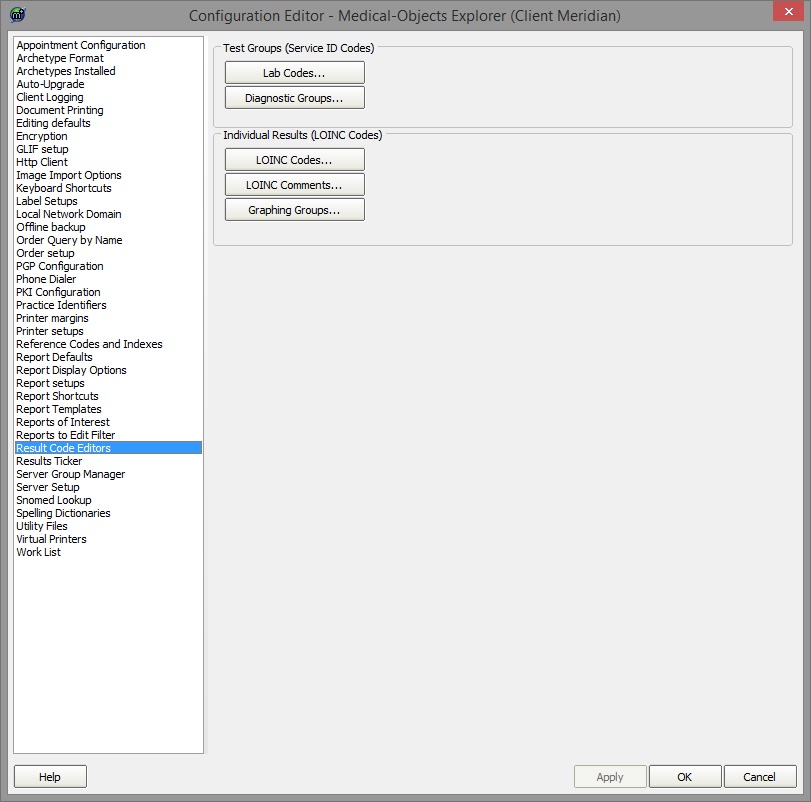
- To create a graph go to "Graphing Groups".
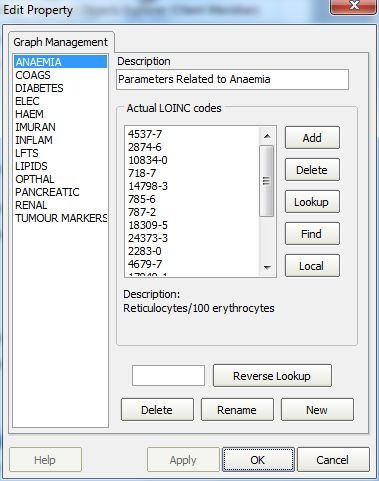
- At the bottom of the new window click the "New" button and give your group a name.
- You can add a description at the top.
Click the "Add" button to add each LOINC code that you want reported.
To find out the LOINC codes that your report contains you can hover over a test name (E.g. Globulin indicated by a red arrow) and the code is shown in the bottom left corner of the Explorer window (Indicated by a red arrow CODE: 2336-6). 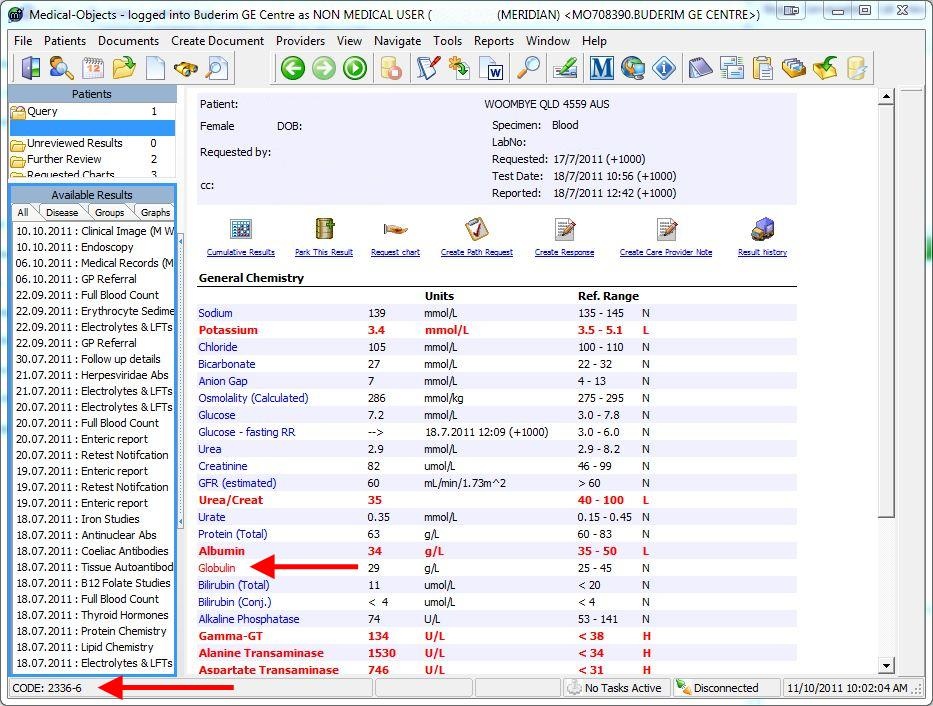
- Once you are done this set-up should load on the other Explorers connected to your server. They will require a restart to show the new graphs.
To group similar LOINC codes for graphing see Grouping LOINC Codes.